Requirements
Apple Silicon · macOS 14+, or Windows 11 · x64. Install LaTeX or Typst separately.
Windows installer and rendering tools: Windows installation. The installer includes WebView2 runtime setup; Node.js, Rust and Python are not required to run the app.
Experimental Ubuntu 24.04 amd64 packages and rendering-tool commands: Ubuntu installation.
Rendering tools
Install the tools for your source format; they are separate from the FerMatter app.
| Project | Required tools | Installation |
|---|---|---|
| Typst / CeTZ | Typst CLI 0.14+ | macOS · Windows |
| LaTeX / TikZ | TeX engine, latexmk, preview.sty, pdfcrop, Poppler (pdftocairo, pdfinfo) and SyncTeX; pdf2svg on macOS/Linux | macOS · Windows |
| DVI-based LaTeX | LaTeX tools above, plus dvips and Ghostscript | Use the LaTeX installation above |
Project packages/fonts remain required. LaTeX PDF navigation uses SyncTeX.
Windows uses Poppler for SVG conversion. TinyTeX and TeX Live include the Windows Perl and Ghostscript helpers used by LaTeX rendering. See Windows rendering-tool setup.
Recoverable project deletion and the screen color eyedropper are unavailable on Windows; project files can be managed in Explorer.
Tool discovery
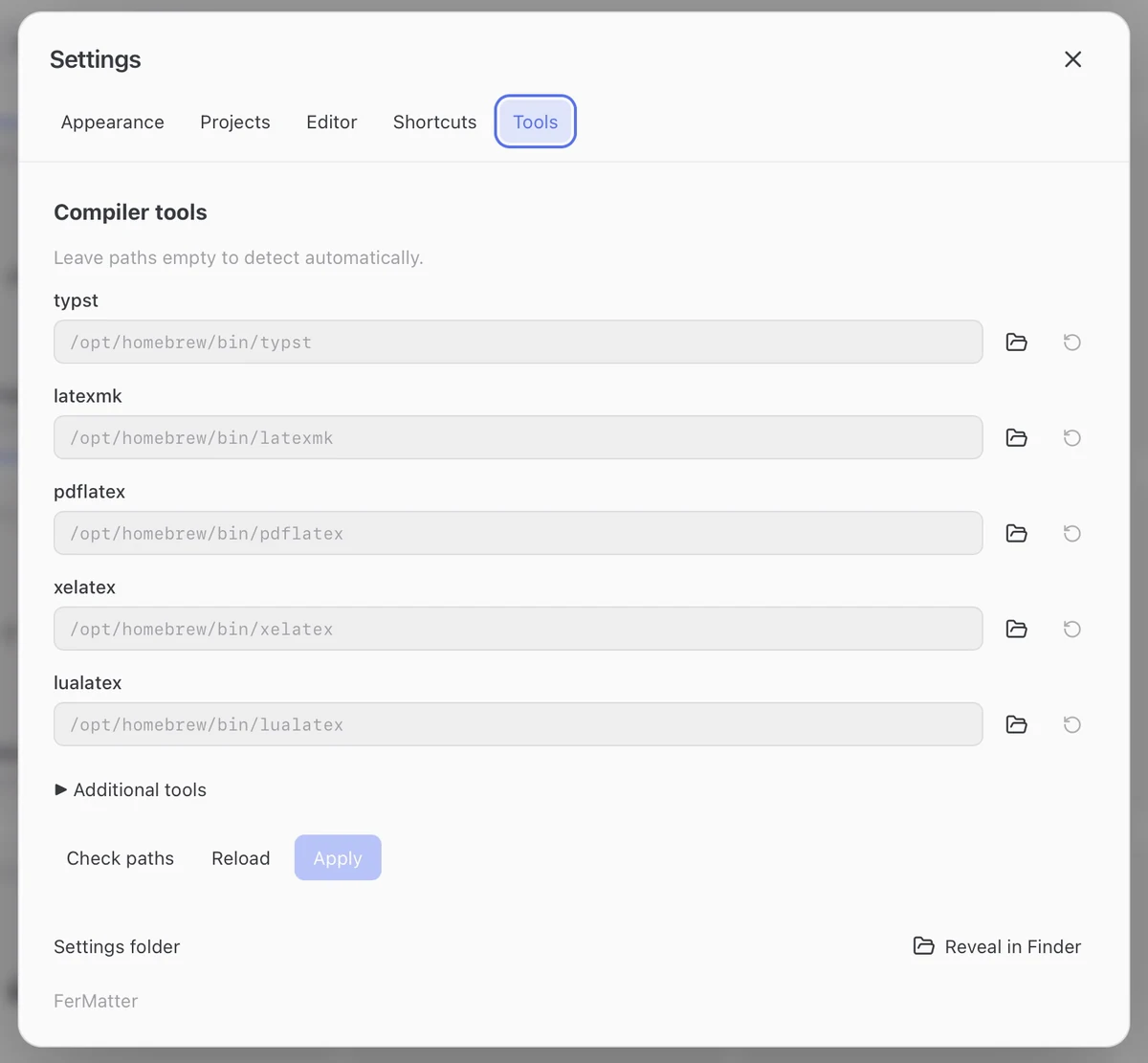
- Open Settings → Tools to see automatically detected executable paths.
- Use Check paths to check the configured tools.
- To override detection, set an executable path and Apply. Clear the override to restore automatic detection.
Project settings
Open Project Settings to choose the main file. For LaTeX, also choose the compiler; project follows the project’s build configuration.
Extraction limitations
- FerMatter extracts literal equations and drawings from source files, including supported
input/includepaths. - Equations generated by macros or loops, and document-wide Typst state, may need manual adjustment for isolated rendering.
- A PDF alone cannot be imported as an equation project; keep the LaTeX or Typst source and its resources together.
To omit tables or custom environments from the Library, see Card extraction (next release).
If rendering fails
- A missing executable: check Settings → Tools and the installation for your source format.
- A compiler error: open the failed item’s log, then check the main file, compiler, packages and fonts.
- Missing equations or an outdated PDF after source edits: refresh the Library and PDF.