From your paper to a slide
- Open Project (
⌘O): select your LaTeX or Typst folder, or try a bundled demo. - Select an equation in Library.
- Copy (
⇧⌘C) or drag the card into your slide. See Choose size and format for output settings and file export.
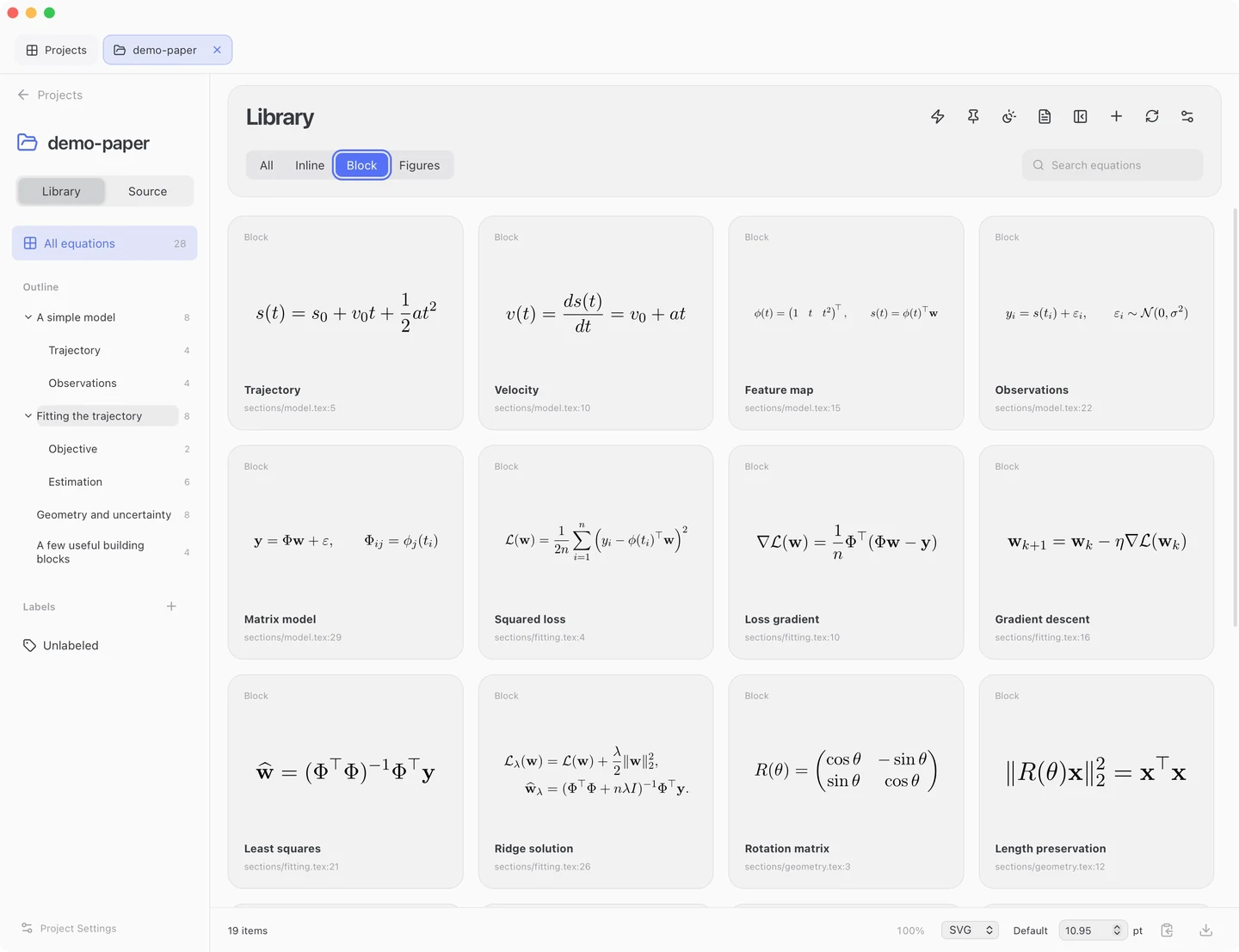
Library
Use Library for slide-specific changes while keeping the manuscript unchanged.
- Find a card using search, the document outline or the type filters.
- Double-click it to edit the equation and preview the result.
- Save Variant (
⌘S) creates a Custom card; the original source card stays unchanged.
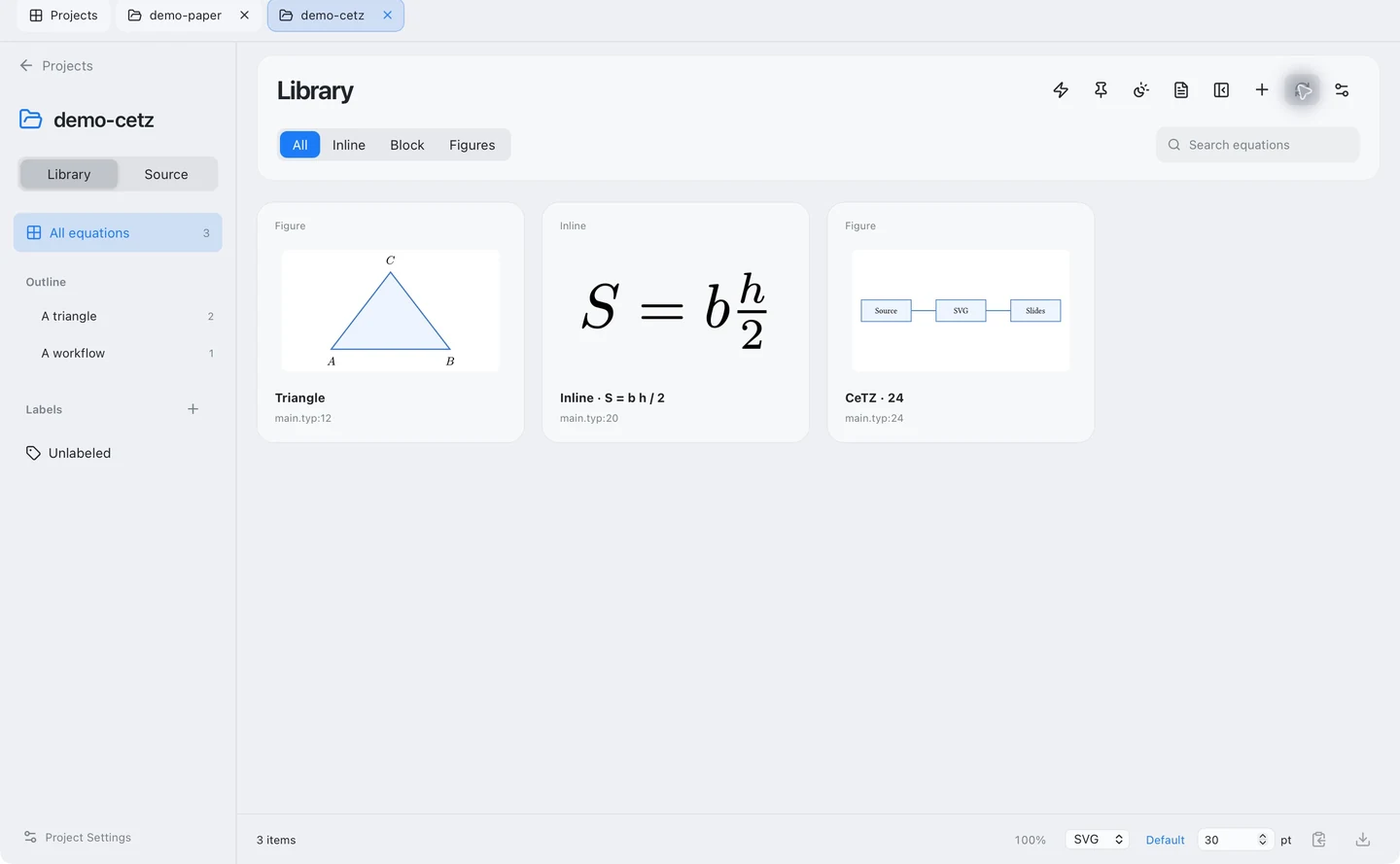
Figures
Figures filters TikZ/CeTZ drawings. Edit them as Library variants, just like equations. See output sizing for scaling drawings and their labels.
Use PDF to locate equations in the compiled paper.
- Open PDF (
⌥⌘P). Selecting a Library card highlights its paper location. - Click a mapped equation in the PDF to select its Library card or Source range.
- Hover over a mapped equation and drag its grab handle to use the displayed artwork in a slide.
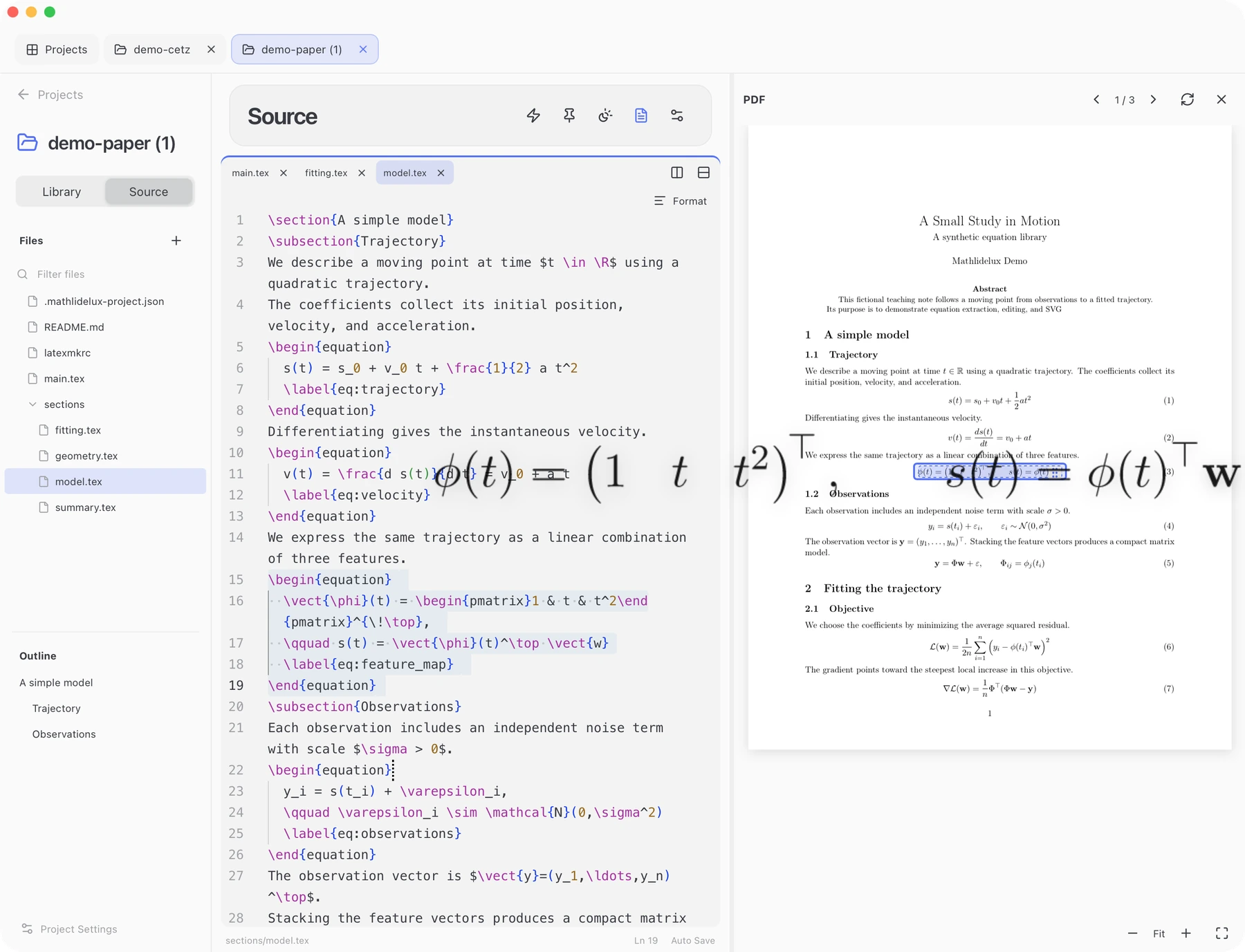
Custom variants navigate to their original equation. Generated or ambiguous locations may have no PDF target; use the Library card or Source preview instead.
Source
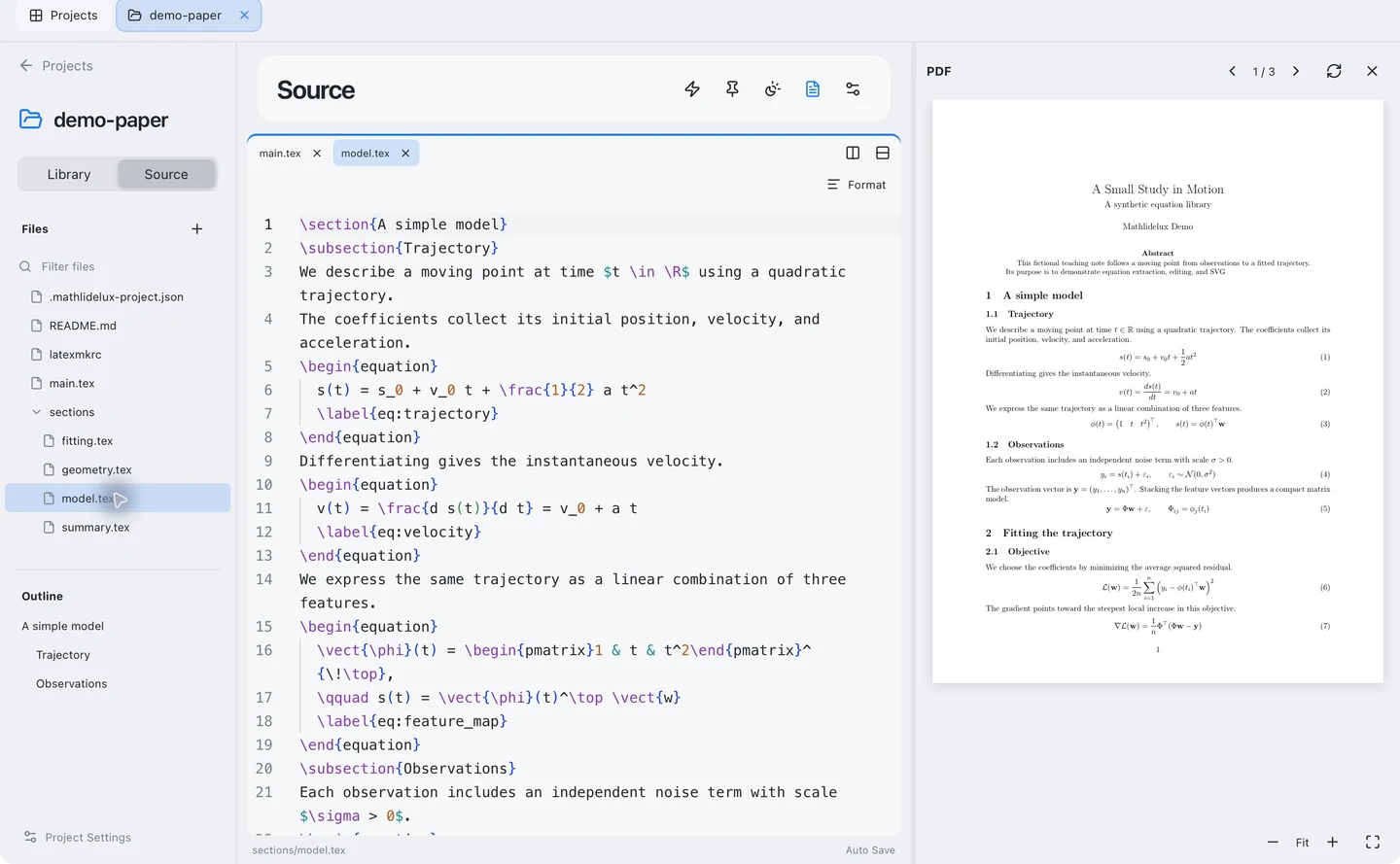
Use Source (⌥⌘E) to edit actual project files.
- Open a file from the tree. Settings → Editor → Save files selects automatic saving or manual
⌘S. - Pause inside an equation or drawing to show a caret preview. It uses open unsaved drafts without saving source files; copy or drag the preview when ready.
- Unsaved buffers survive tab/project changes and relaunches. Recovered drafts wait for an edit or explicit save. External file changes block saving until you resolve the conflict.
Instant
Use Instant for a scratch equation without editing project files.
| Open from | Context |
|---|---|
| Instant on Projects | A standalone LaTeX, Typst, TikZ or CeTZ template |
| A project’s lightning button | That project’s saved definitions, imports and compiler settings; save Source edits first |
Choose Display or Inline for a math body without outer $ or \[...\] delimiters:
- LaTeX:
\frac{a+b}{c} - Typst:
(a+b)/c
Choose Code for complete environments, TikZ/CeTZ drawings or Typst markup. Use the preview with the output controls.
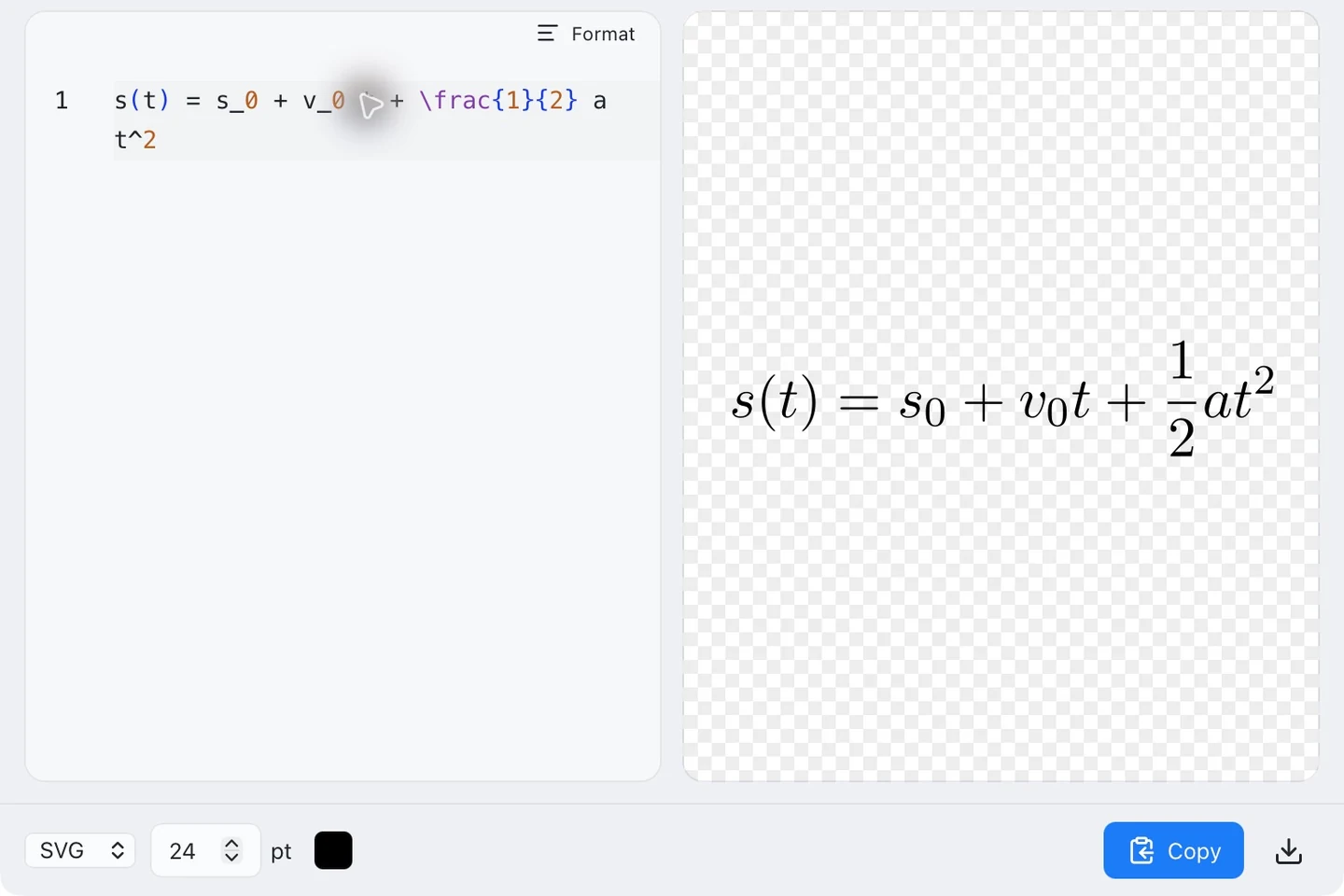
Drafts and library entries save automatically. Editing updates the selected entry; New equation starts another, and Duplicate equation keeps the original. Standalone and project Instant libraries are separate.
Refresh after changes
After changing source files, refresh each view you need:
| Action | Updates |
|---|---|
Rescan (⌘R) | Library equations, drawings and outline |
Rebuild PDF (⇧⌘R) | The document PDF and its navigation snapshot |
A failed PDF build keeps the previous document. PDF navigation and dragging use the displayed document’s compiled snapshot.
For opening, creating, importing or deleting projects, see Project folders.
For compiler failures and extraction limitations, see Requirements.